.png)
How do I subscribe to JSHealth 360?Updated 2 months ago
It couldn’t be easier.
Choose your product > check the Subscribe + Save option and select your preferred subscription frequency
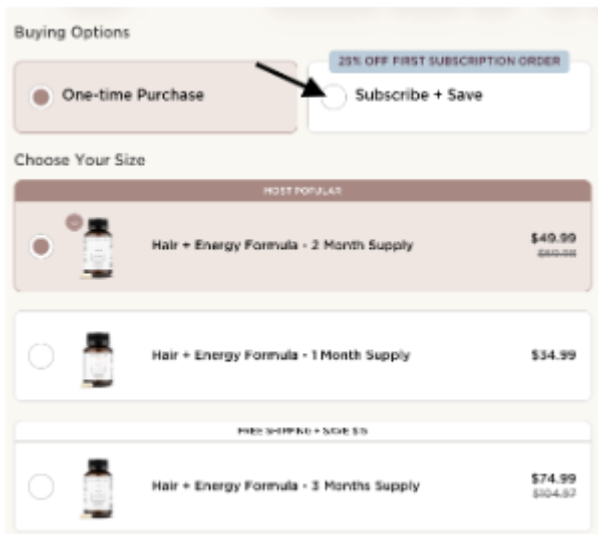
Select the your product quantity > add to bag

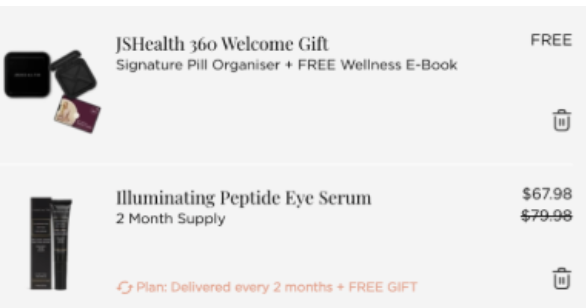
Review your cart to be sure
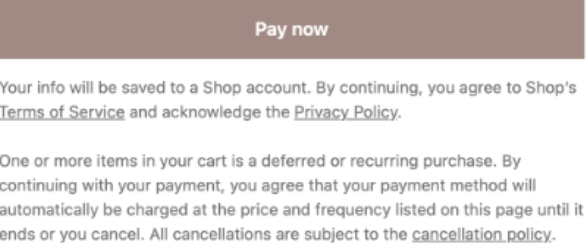
Accepted the terms and conditions at point of payment > pay now
Following this, you will receive an email with details of your subscription and access to log in and self manage your account.
From there, your account is fully in your control and managing your subscription is simple once subscribed, you can update delivery dates, change frequencies, skip orders, or cancel entirely through your online account at any time from anywhere! We recommend making changes to your subscription 3 days in advance of its processing to avoid disappointment.